← Features  /  Workflow & AI
Workflow & AI

The automation is already wired in. The AI is genuinely yours.

Every domain in wpOps — Leads, Tickets, Quotes, Campaigns — already plugs into one Workflow engine. Add your own OpenAI or Anthropic key and the same engine can read, summarize, and draft, using your real data, reviewed by a person before anything reaches a customer.

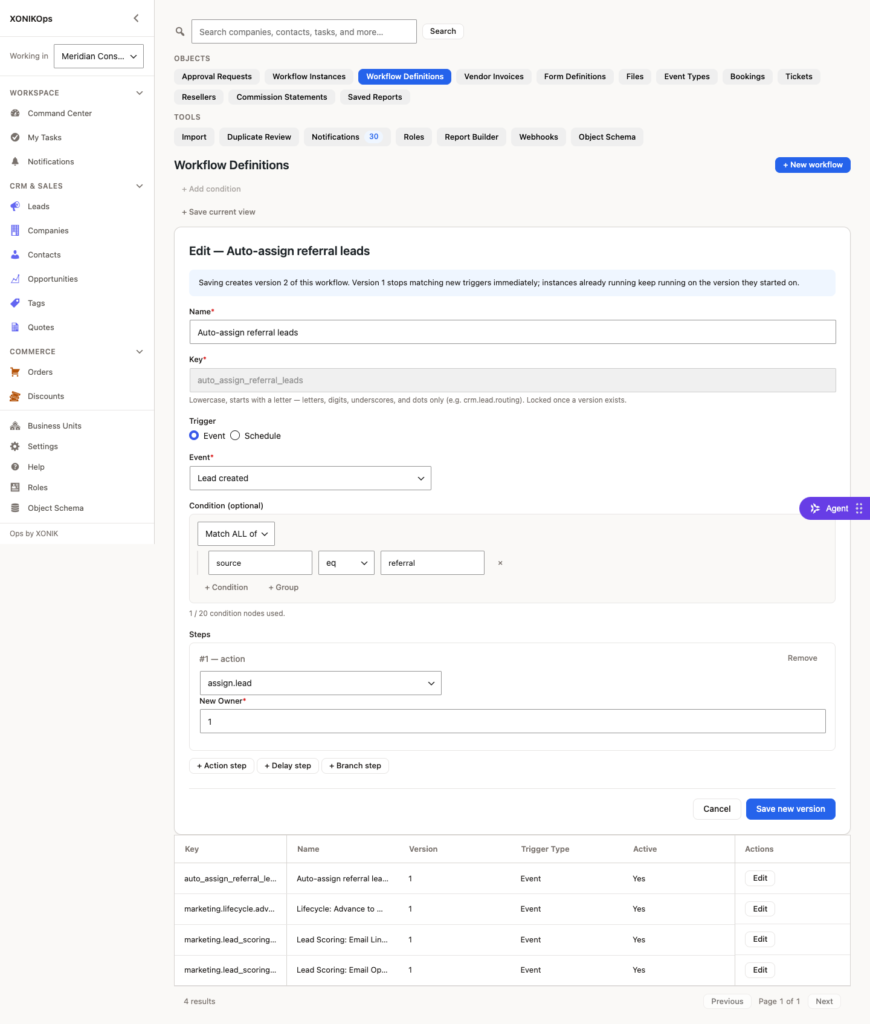
Building a Workflow rule — conditions, actions, and AI-assisted steps in one canvas.

Four things it does today

Not a chatbot bolted onto the side — four real actions inside the same automation builder you already use for everything else.

Score a leadai_score_lead
Reads a Lead's real engagement history and writes a qualitative note alongside your existing numeric score — it never overwrites the score itself.
Summarize a threadai_summarize
Turns a long Ticket thread or an Opportunity's full activity history into a short brief, so nobody has to re-read a month of back-and-forth before responding.
Draft a replyai_draft_reply
Suggests a response to a Ticket or a message. It's written into an internal note — structurally unable to reach the customer until a person sends it.
Draft contentai_content_draft
Turns a short brief into a first pass at Campaign email copy or a Social post caption, ready for your own edit before it goes out.
How it gets set up

Three steps, once, per installation.

01

Add your key

Paste your OpenAI or Anthropic API key into Settings. It's encrypted at rest and never leaves your server except to reach your chosen provider.

02

Add an action to a workflow

Open any existing automation and add one of the four AI actions, the same way you'd add "send an email" or "assign a task."

03

Review, then it runs

The action fires on your existing triggers. Anything customer-facing waits for a person's review by design.

Bring your own key. We never touch the bill.

Every other tool in this category meters AI usage and adds its own margin on top. wpOps doesn't run the AI calls through us at all — your key talks directly to your provider. What you'd pay OpenAI or Anthropic for this kind of usage is typically a few dollars a month for a small team, not a per-seat AI add-on.

AI providerYour own account
Who sees your keyOnly your own server
Usage billed byYour provider, directly
wpOps markup on AI usage$0

Frequently asked

Do the four AI actions replace the Workflow engine, or sit inside it?

They're actions inside the same Workflow engine every other rule already uses — added the same way you'd add "send an email" or "assign a task," not a separate tool.

Can an AI-drafted reply reach a customer automatically?

No — a drafted reply is always saved as an internal-only note; a person has to review and send it themselves, by design.

What happens if I never connect an AI provider key?

Every other Workflow action still works exactly the same; the four AI actions simply don't appear until a key is connected — no degraded mode, no nag.

Every domain in wpOps already speaks Workflow. Adding AI to one is a five-minute setting, not a new tool.

Request demo access