← Features  /  Marketing Automation
Marketing Automation

Marketing automation without the per-contact pricing trap

wpOps runs email campaigns and social publishing from the same place you manage the relationship — audiences built from real CRM segments, a sitewide suppression list, and Draft with AI built into the workflow, not a separate subscription priced by contact count.

Request demo access
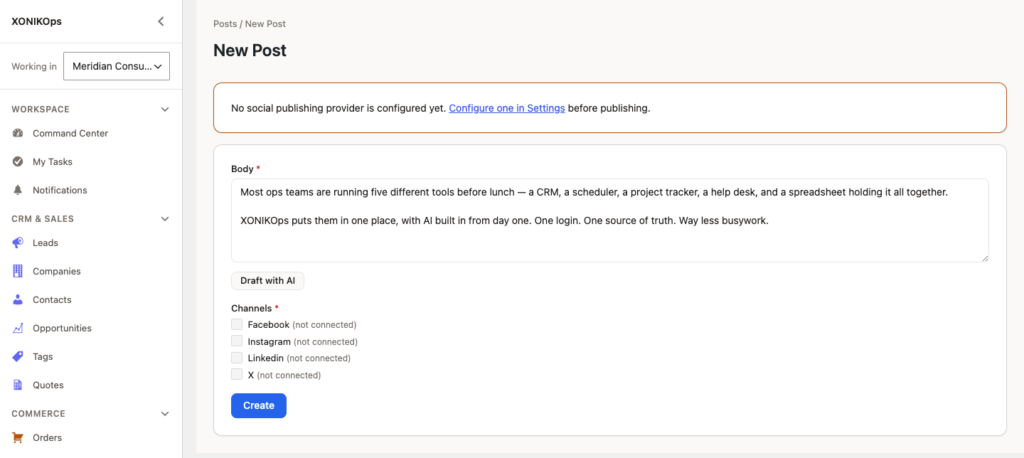
Draft with AI, right inside the campaign editor.

What it does today

The two real ways wpOps helps you reach an audience, both included.

Segment-based campaignsmarketing.campaign
Build a campaign audience from a saved Lead or Contact segment, or filter on the spot — no separate list-import step.
Sitewide suppression listmarketing.suppression
Unsubscribes, bounces, and manual opt-outs are kept out of every future send automatically, installation-wide.
Multi-channel social publishingmarketing.social
Compose a post once and publish to Facebook, Instagram, LinkedIn, and X, immediately or scheduled.
Draft with AIai_content_draft
Describe what you want in a short prompt and get a first draft to review and edit — on campaigns and social posts alike.

How it fits your workflow

Three steps, the same for a first campaign or your fiftieth.

01

Build a segment

From your existing Leads or Contacts — reused later for the next campaign, not rebuilt each time.

02

Draft and send or schedule

Write it yourself or start from an AI draft, then send now or schedule it.

03

Track engagement and revenue

See opens/clicks and an estimate of how much later pipeline traces back to this send.

Priced per license, not per contact

Marketing automation pricing usually climbs with your list size. wpOps' license doesn't.

Price basisOne license
Changes as your list grows?No
Separate "marketing contacts" tierDoes not exist here

Frequently asked

Does the price go up as my contact list grows?

No — unlike per-contact SaaS pricing, wpOps' license doesn't change based on list size.

Which social platforms can I publish to?

Facebook, Instagram, LinkedIn, and X, from one composer.

Is the suppression list automatic?

Yes — unsubscribes and bounces are added automatically; you can also add an address manually, but never remove one once suppressed.

See Marketing Automation on a real installation, not a slide deck.

Request demo access